For the Nomadic admin
Running the workshop
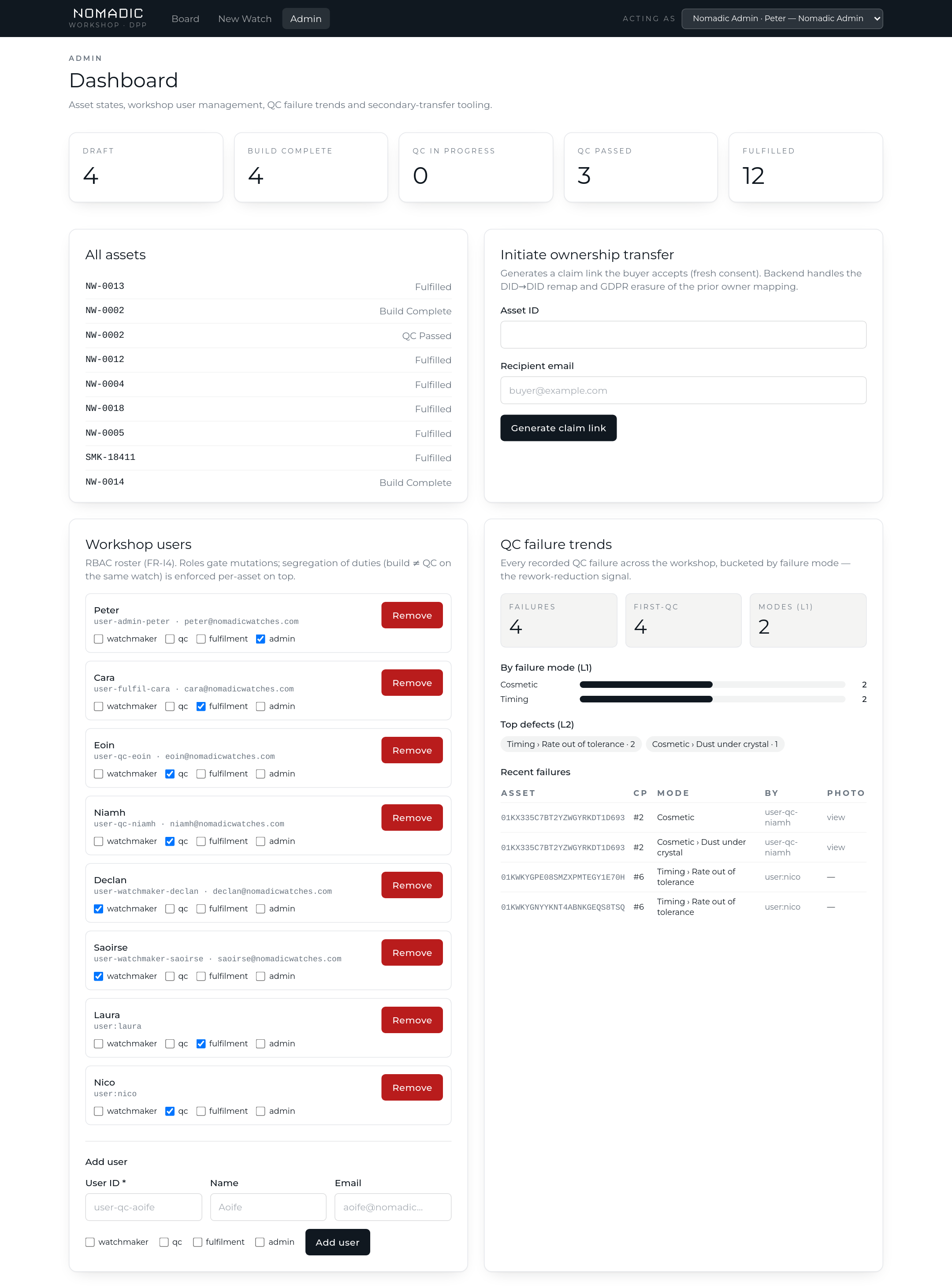
The admin dashboard is the oversight surface: where every watch stands, who can do what, what QC keeps catching, and the tooling for ownership transfers that need a hand.
The dashboard
Top of the page: live counts of every pipeline state, and the full asset list linking into each watch. Below: workshop user management and QC failure trends, side by side.
Workshop accounts & roles
Every workshop login is an entry in the roster with one or more roles. Roles gate what a login can do; unknown logins can do nothing.
| Role | Can |
|---|---|
watchmaker | Create, edit and register watch records |
qc | Run QC inspections, upload failure photo evidence |
fulfilment | Confirm despatch |
admin | Manage users, read QC trends, record service/repair events, initiate transfers |
- A person can hold several roles — the rule that matters, whoever built a watch cannot QC that same watch, is enforced per-asset no matter what roles a login holds.
- Adding a user takes an ID, optional name/email, and at least one role. Role changes are explicit — tick or untick, then "Save roles".
- Remove revokes access immediately. To change access, edit roles; to revoke it, remove the user.
QC failure trends
Every QC failure ever recorded, aggregated live: totals and first-QC counts, failure-mode frequencies (level 1 bars, top level-2 defects), and the most recent failures with a link to each watch and its photo evidence. This is the rework-reduction signal — if "Timing → rate out of tolerance" keeps climbing, you'll see it here first.
Transfers & service events
- Initiate ownership transfer generates a claim link for a buyer on the owner's behalf — useful at the counter or for support cases. The same one-live-invitation rule applies as in the owner portal.
- Service & repair events are recorded against the watch and appear in the owner's service history — so servicing QC is visible to the owner, unlike manufacturing QC, which never is.