The customer experience
Owning a Nomadic, digitally
For the owner, everything happens inside the Nomadic storefront they already use. Activating the lifetime guarantee is claiming digital ownership — one login, one place, whether the watch came from the website, the counter, or a stockist.
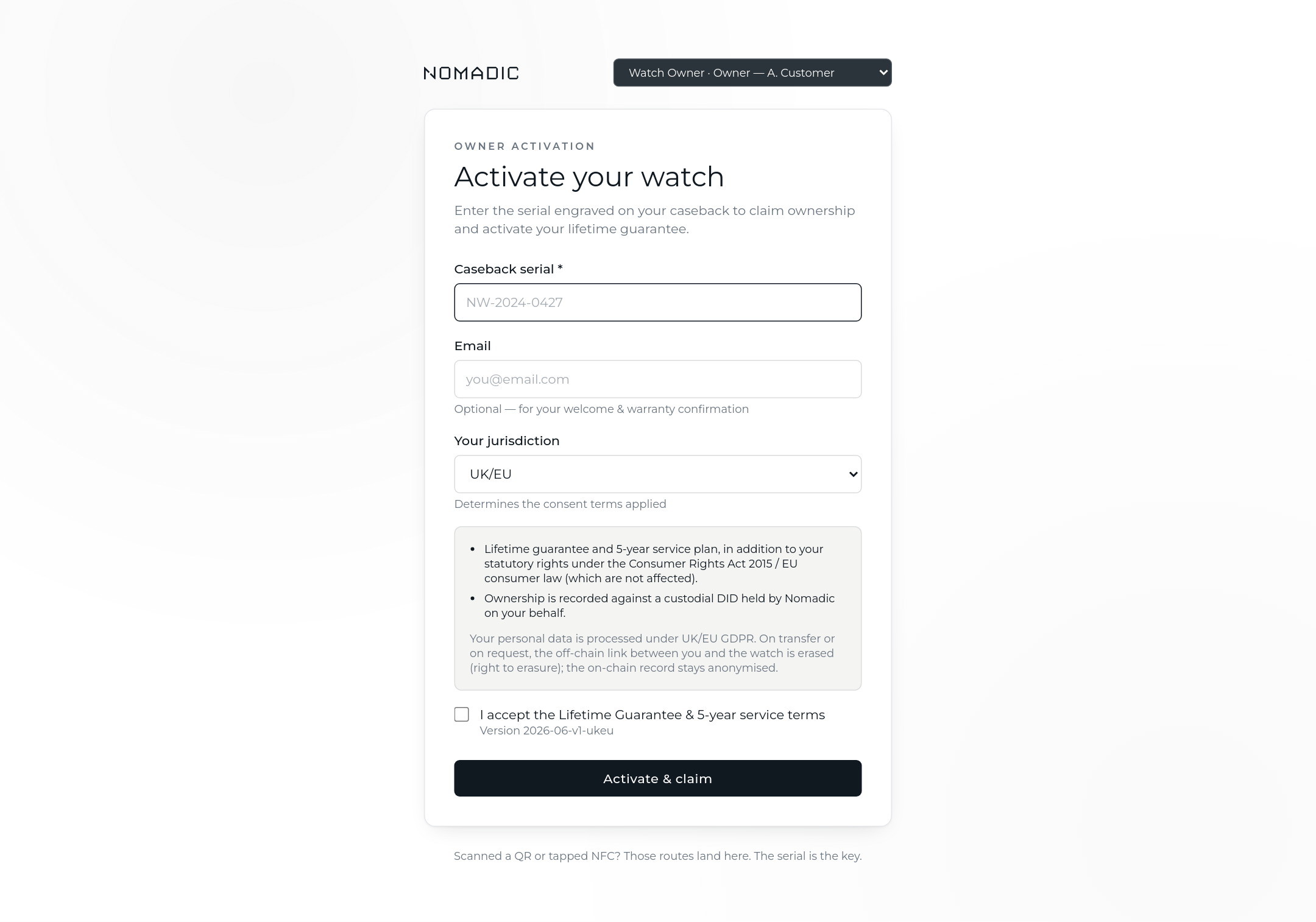
Activation — the serial is the key
The owner enters the serial engraved on their caseback (the QR on the packaging label and any future NFC tap simply land on this same page). They pick their jurisdiction, and the consent terms shown adapt — UK/EU, US and UAE each get the correct consumer-rights and data-protection wording, and the accepted version is recorded with the consent.
- The watch must be Fulfilled and unclaimed — one owner per serial, enforced by the ledger.
- On activation the lifetime guarantee goes live and ownership moves onto the ubloquity Blockchain from Nomadic to the owner's custodial DID (a digital identity Nomadic holds on their behalf — no wallets, no seed phrases).
- An optional email field triggers the welcome message with a link to their passport.
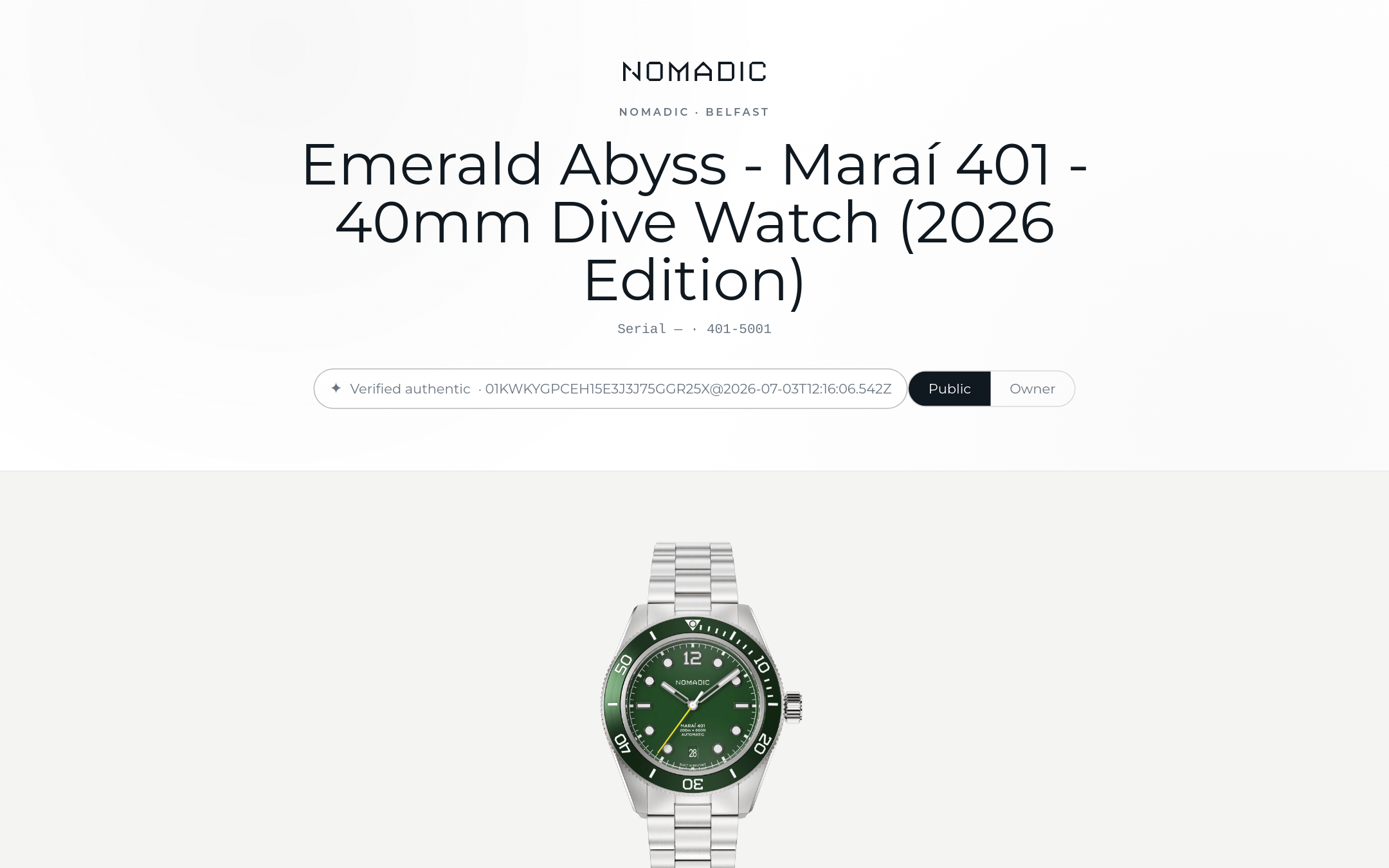
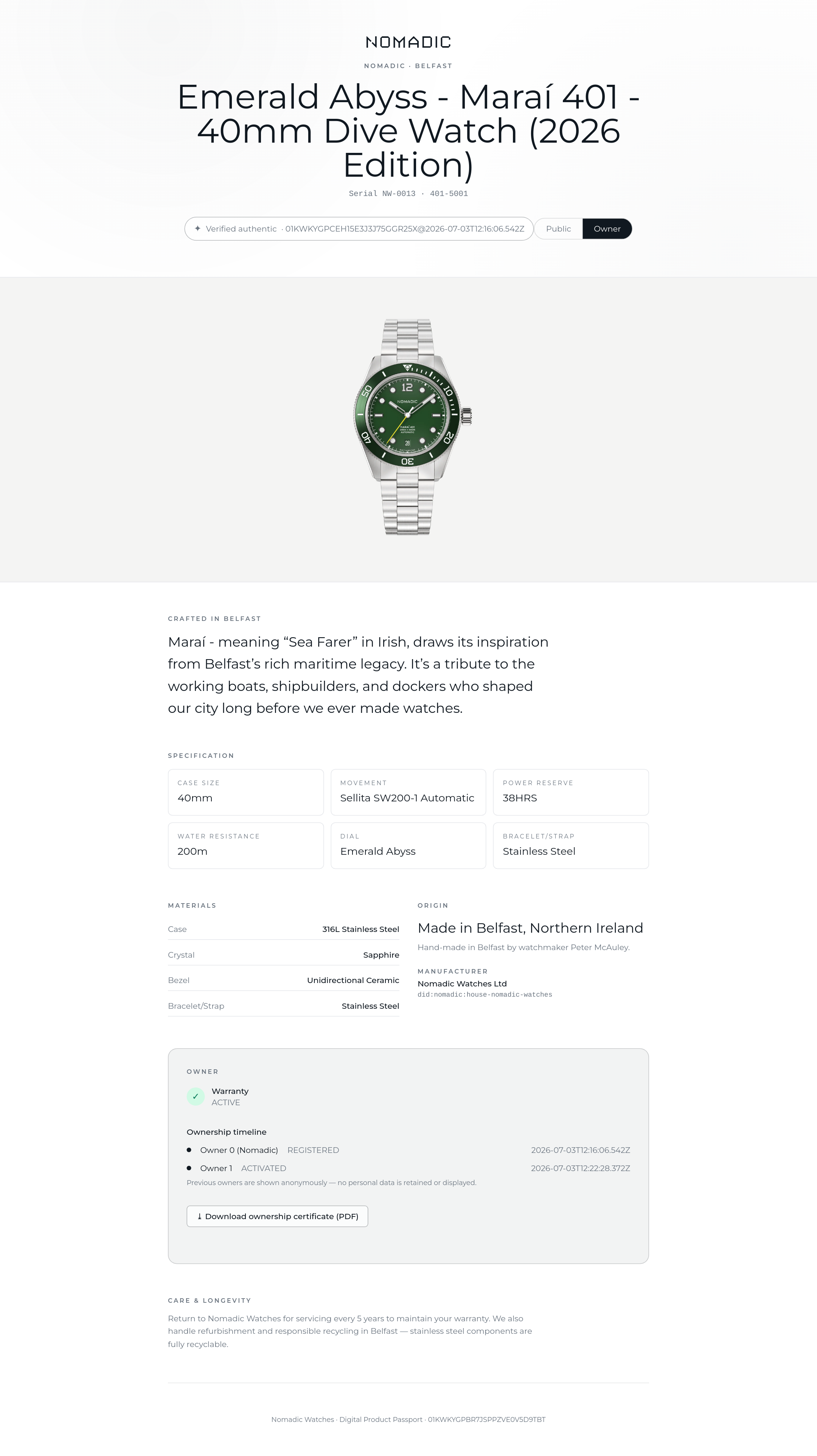
The passport — one page, two layers
Anyone who scans the QR sees the public layer: the watch, its heritage story, materials, specifications, country of origin, manufacturer identity and the on-chain authenticity reference. No personal data, ever — and manufacturing QC never appears on any layer.
The owner layer adds what only the owner should see: serial, watchmaker, warranty status, the anonymised ownership timeline, service history, and the certificate download. It is only served if the signed-in customer actually owns that watch.
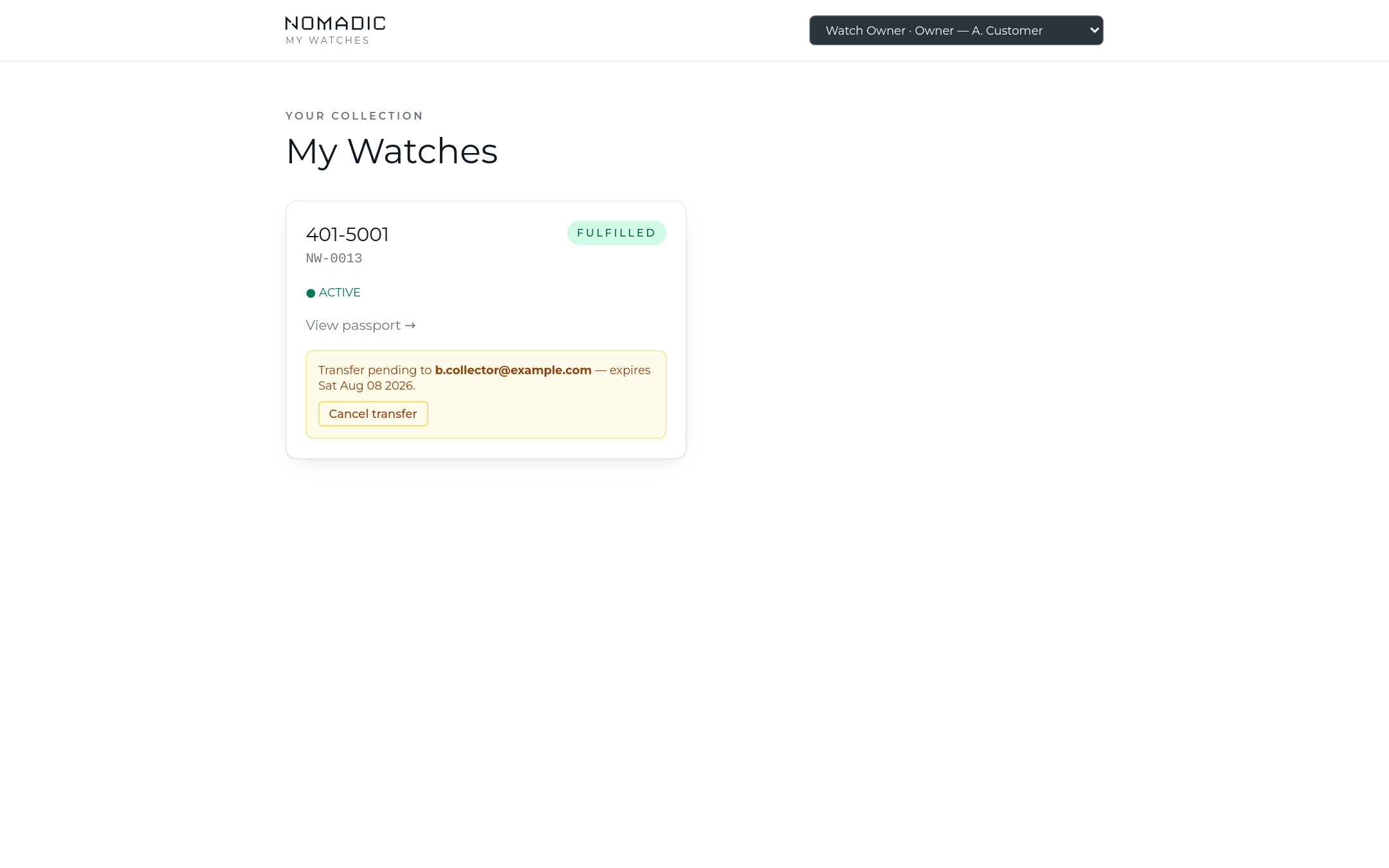
My Watches — inside the Shopify account
A thin extension in the customer's Shopify account lists their collection with warranty status, deep-linking into the passport. The same view exists in the web app. From here the owner can start a transfer — and see and cancel a pending one.
Transfer — the watch moves, the story stays
Selling or gifting the watch takes three steps:
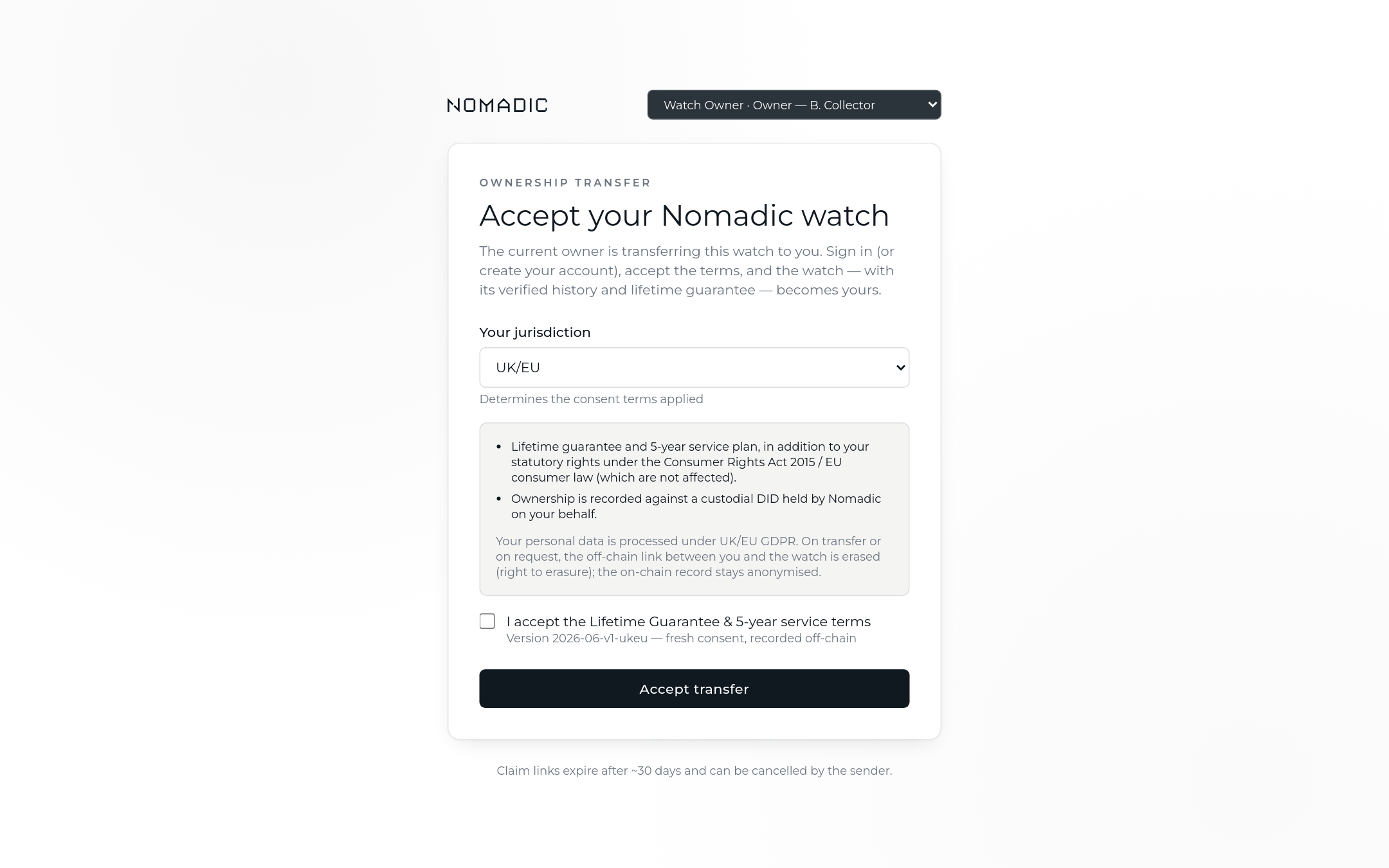
- The current owner enters the buyer's email. The buyer receives a claim link (valid ~30 days; one live invitation per watch — re-inviting revokes the old link).
- The buyer signs in or creates a Shopify account — counter and stockist buyers self-register the same way, so Nomadic never needs PII from stockists.
- The buyer gives fresh consent (their own jurisdiction's terms) and accepts.
On acceptance, ownership moves on-chain from one owner to the next with the watch's full history and the lifetime warranty intact — and the previous owner's personal data is erased (the GDPR right to erasure). The timeline the new owner sees is anonymised: "Owner 1 → Owner 2", never names.
The ownership certificate
From the owner layer, a one-click PDF certificate: the blockchain reference, the anonymised ownership timeline and current warranty status. Only the current owner can download it.
Emails along the way
| Moment | |
|---|---|
| Activation (email supplied) | Welcome — warranty confirmed, passport link |
| Transfer initiated | Invitation to the buyer with the claim link and expiry |
| Transfer accepted | Confirmation to the new owner with their passport link |