For the Nomadic workshop team
From bench to Build Board
The workshop app is tablet-first and mirrors how a watch actually moves through the workshop: five states, left to right. Two rules are enforced for you — a watch is registered on-chain the moment its build is confirmed, and the person who built a watch can never be the person who passes its QC.
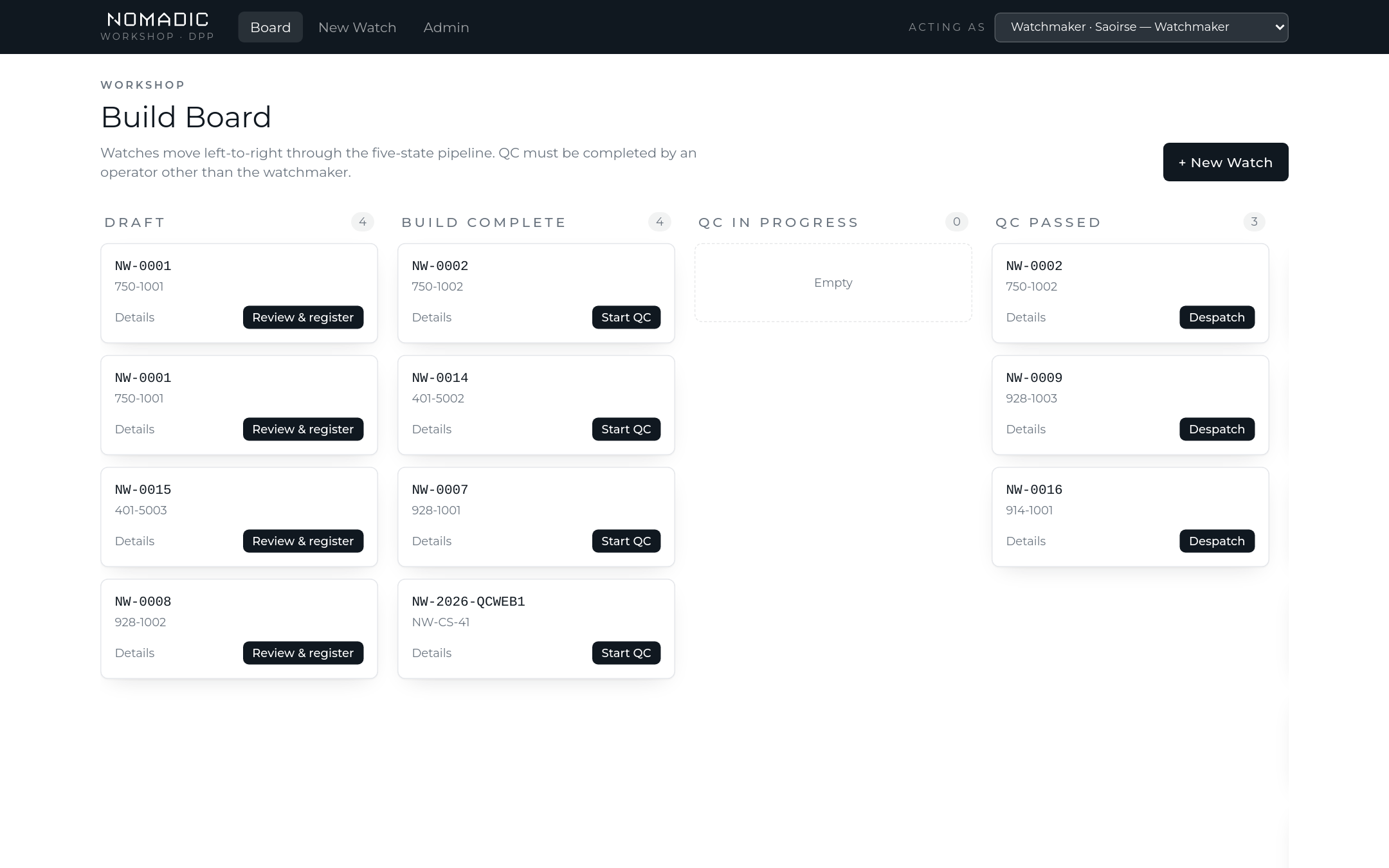
The Build Board
The board shows every watch in play, bucketed by state: Draft → Build Complete → QC In Progress → QC Passed → Fulfilled. Each card carries the serial and SKU and a single next action — the board always tells you what a watch needs next.
Stage 1 — Creating the watch record
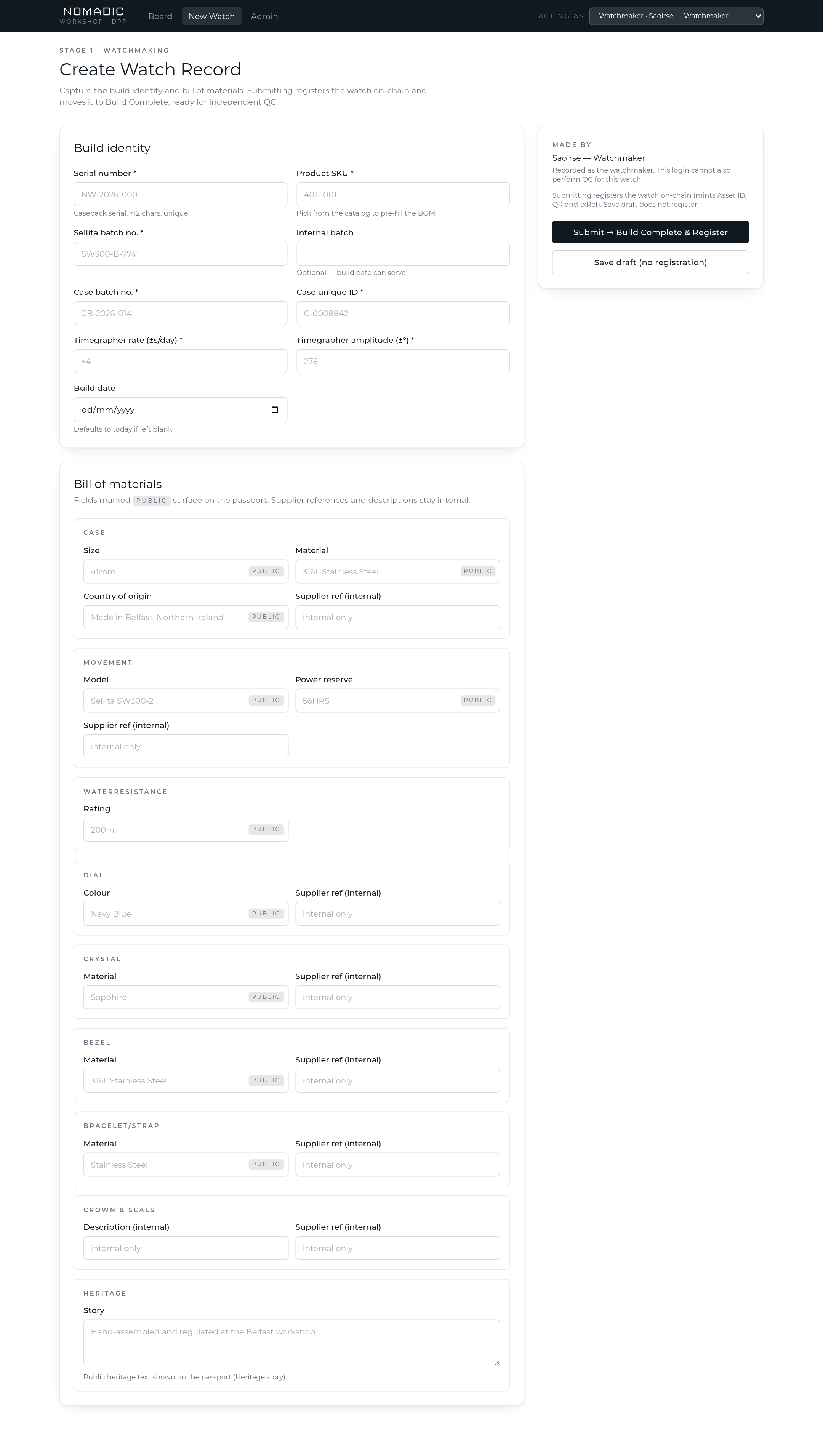
New Watch captures the build identity: caseback serial, product SKU (picked from the live catalog — this pre-fills the bill of materials from the product's template), Sellita and case batch numbers, case unique ID, timegrapher readings and build date. The signed-in watchmaker is recorded automatically as "Made by".
- Save draft keeps the record editable — drafts autosave as you type and can be re-opened from the board ("Review & register"). Nothing is registered yet.
- Submit → Build Complete & Register confirms the build. This is the moment the watch is registered on the ubloquity Blockchain: the system mints its asset ID, transaction reference and QR code. From here the record is ledger data and immutable — drafts are the place to fix mistakes.
- The BOM is grouped by component (Case, Movement, Dial, Crystal, Bezel, Bracelet/Strap, Crown & Seals). Fields marked
PUBLICcan appear on the customer-facing passport; supplier references and descriptions never leave the workshop. - Serials must be unique and under 12 characters — duplicates are rejected by the ledger itself, not just the form.
Stage 2 — Quality control
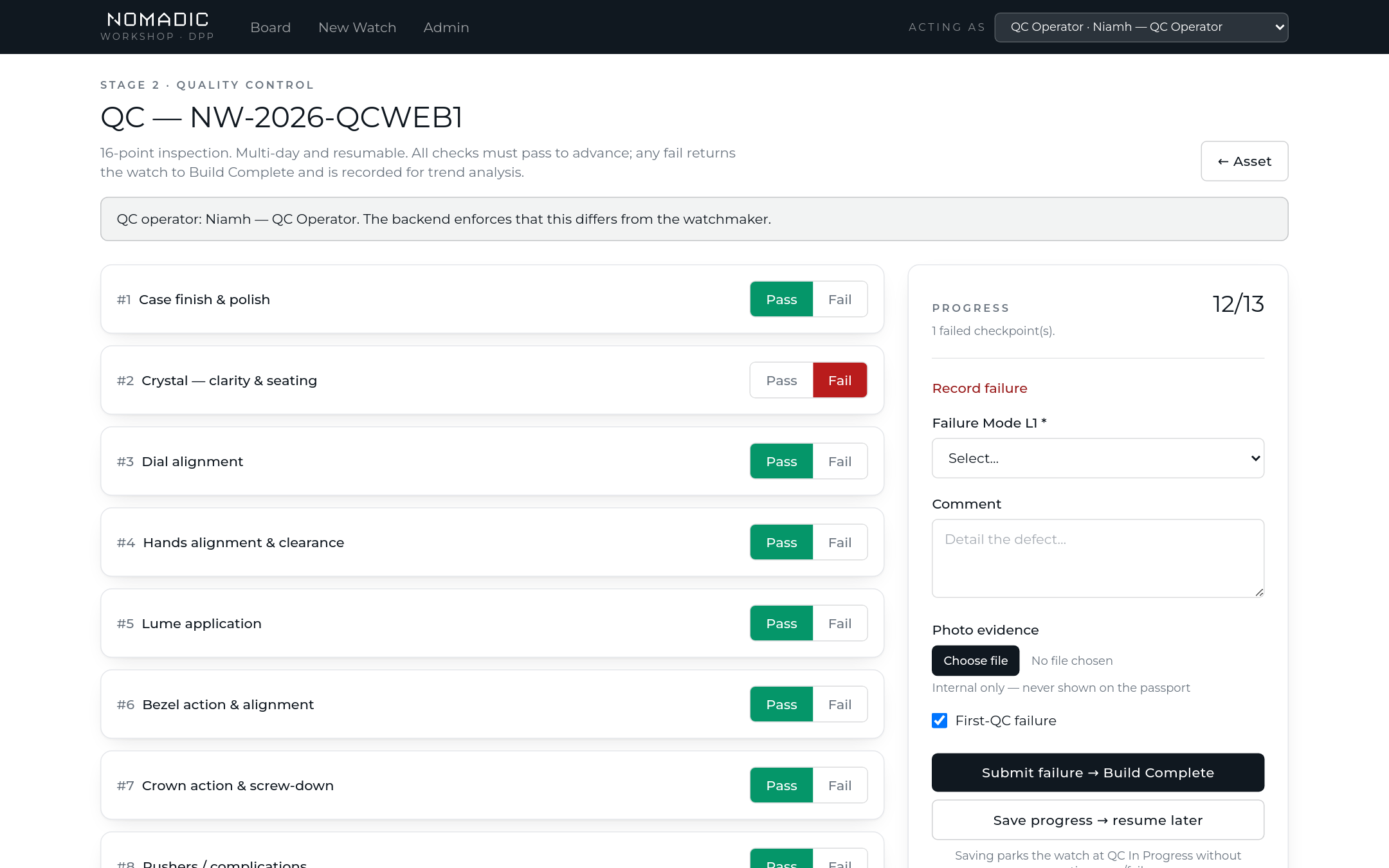
QC is the 16-point inspection: checkpoints 1–13 are pass/fail, 14–16 capture timegrapher rate, amplitude and beat error as data. The QC operator must be a different login from the watchmaker — the system rejects the submission otherwise, and the banner at the top warns you before you start.
- Any fail returns the watch to Build Complete for rework and records the failure — failure mode (two levels), comment, first-QC flag and optional photo evidence. Photos are internal only; they never appear on a customer's passport.
- All pass moves the watch to QC Passed and appends the QC event to its on-chain record.
- Multi-day inspections: "Save progress → resume later" parks the watch at QC In Progress without deciding pass/fail. The board shows "Resume QC", and the sheet reopens exactly where you left it.
Stage 3 — Fulfilment & the packaging label
From QC Passed, the fulfilment operator confirms despatch — Shipped from HQ, Collected from HQ, or Via retailer. This appends a despatch event to the existing on-chain record (it is not a re-registration) and moves the watch to Fulfilled, which is what unlocks owner activation and the public authenticity badge.
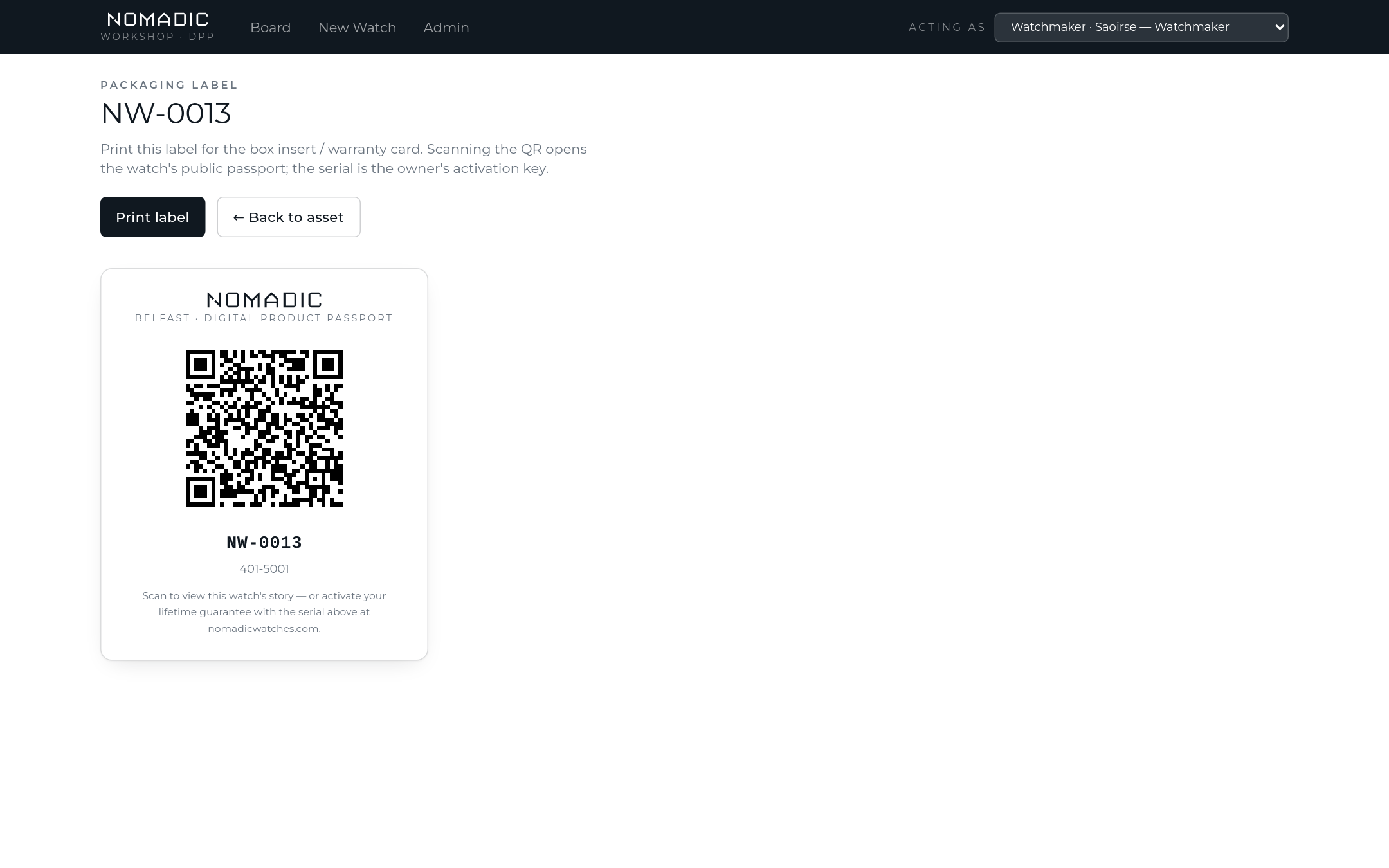
Every registered watch has a printable packaging label for the box insert / warranty card: the QR opens the watch's public passport, and the serial printed beneath it is the owner's activation key.
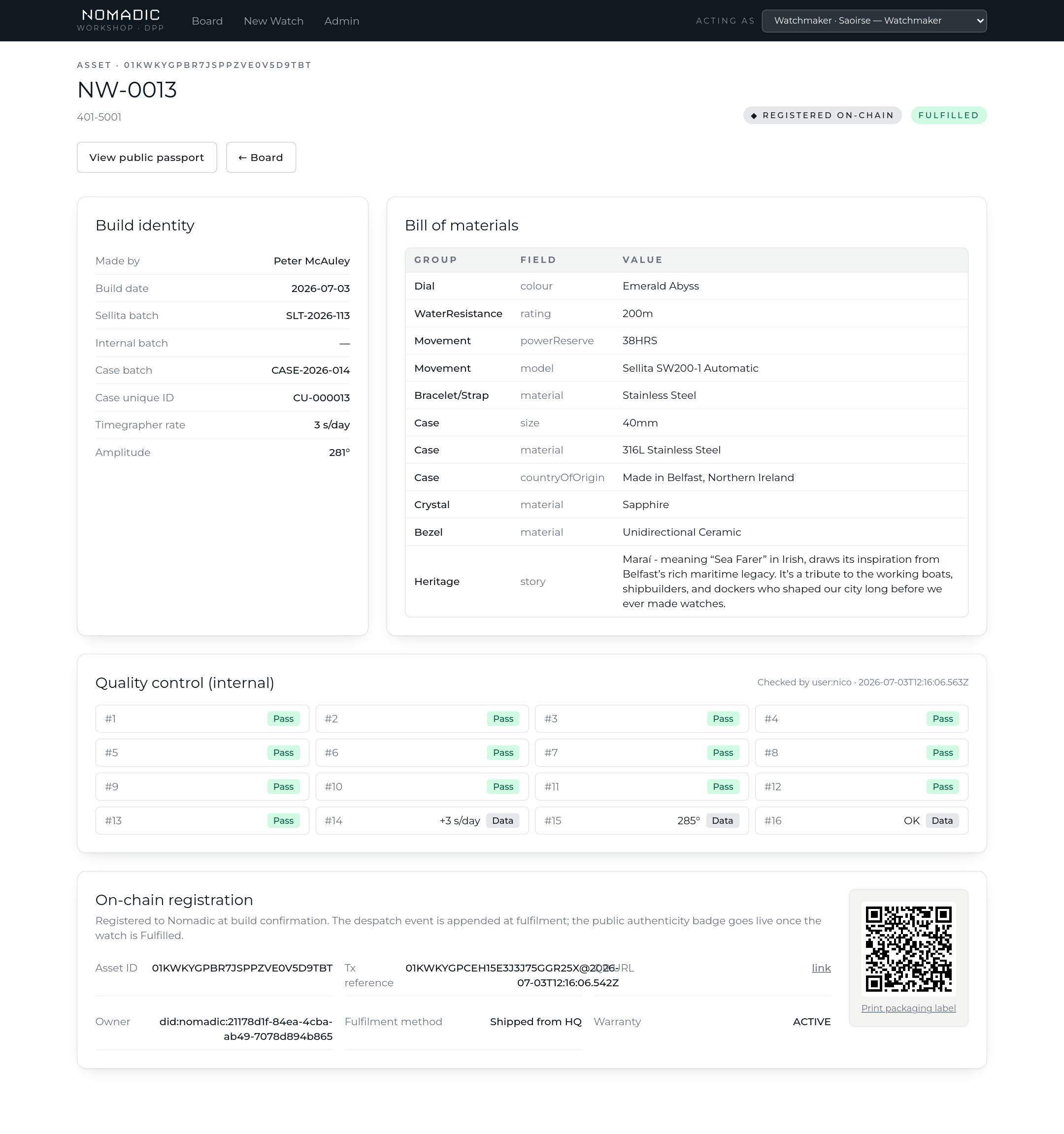
The asset record
Every watch's detail page brings the whole story together: build identity, the full BOM, the internal QC record, and the on-chain registration card with its blockchain reference, current owner, warranty status and the QR.